
Work a ticket
Raise a ticket, answer the customer, leave notes for the team, and resolve it.
- Plans
- From Starter; the ticket workspace and reply clocks from Growth
- Who can
- Anyone who can see the inbox
- Where
- Tickets in the sidebar
- Last updated
A ticket is a piece of work for a customer that takes longer than a chat: a refund, a fault, a request. It has a status, an owner, reply clocks, and its own thread of replies and internal notes.
- AI agentRaisedBy the agent or your team.
- Your teamOwnedStatus, priority, an owner.
- SpecularClocks runFirst reply and resolution.
- Your teamResolvedUntil the customer replies.
#Raise a ticket
- Open the customer the ticket is about.
- Click ··· (More actions) in the header, then Raise a ticket….
- Write a Subject and click Raise ticket.
Tickets also come from conversations the agent escalates, from customers in the customer portal, and from the API.
#The queue
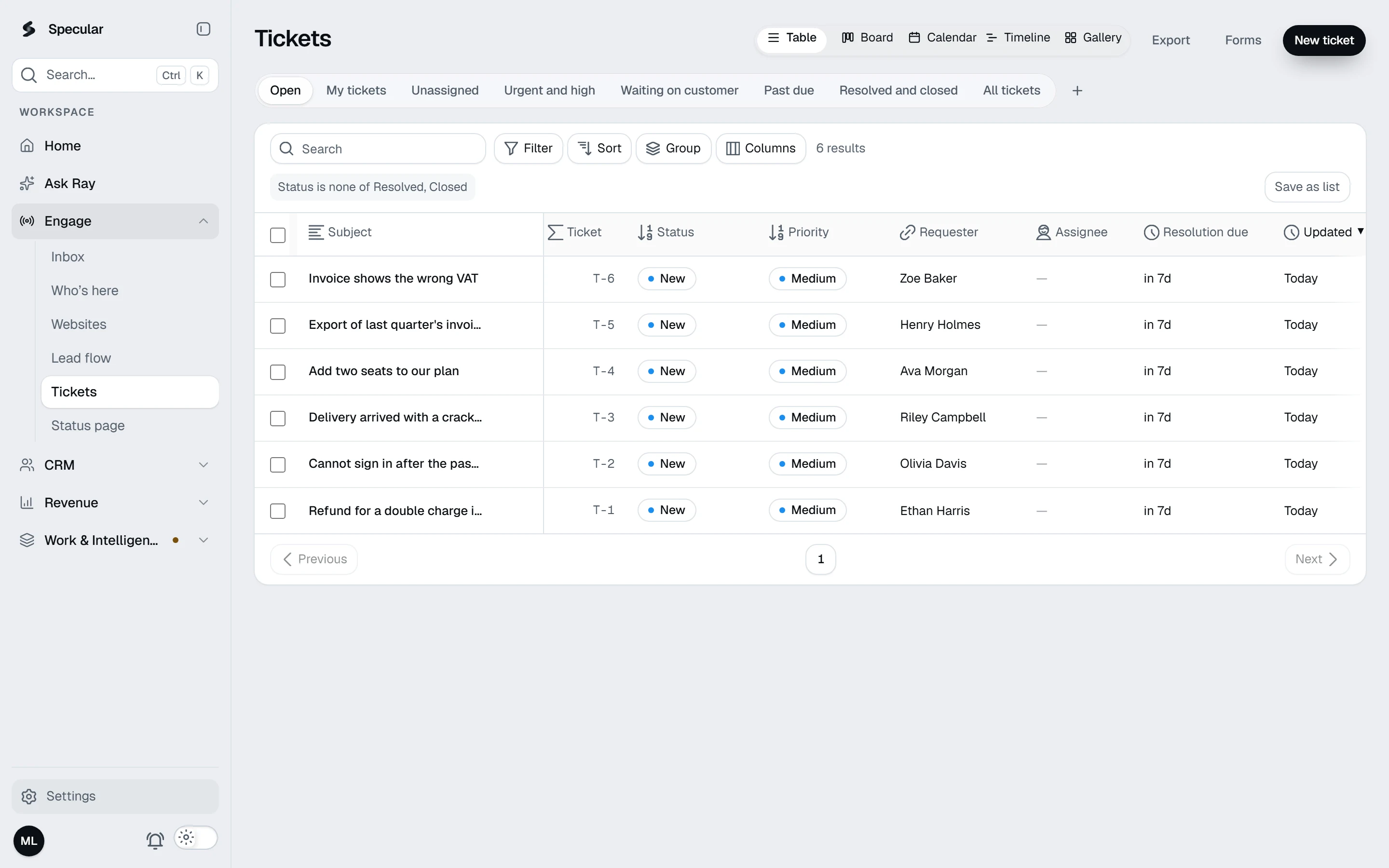
Tickets lists every ticket as a table or a board, with saved views such as My tickets and filters for status, priority, owner and tags.
#The ticket page
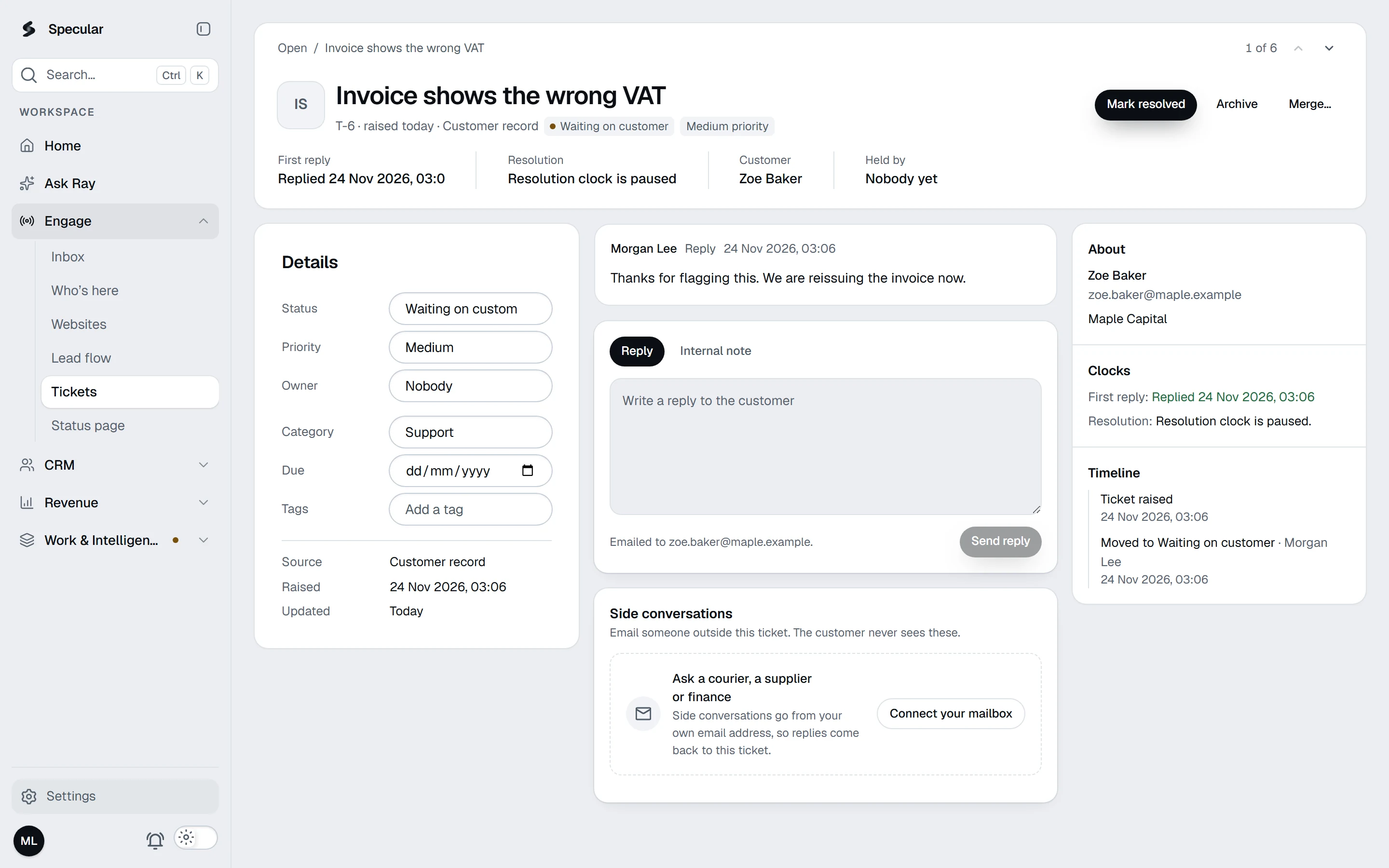
The header shows the status and priority, the reply clocks, the customer and who holds it. Details are on the left, the conversation in the middle, and who it is about, the clocks and the timeline on the right.
#Reply or leave a note
- Choose Reply to answer the customer, or Internal note for the team only.
- Write it in the box.
- Click Send reply or Add note. A reply is emailed to the customer when they have an address.
#Status, priority and owner
Change them in Details on the left. Mark resolved in the header closes the loop; a reply from the customer opens it again.
#Reply clocks
From Growth, each ticket has a first-reply and a resolution clock that count your open hours only (see Hours and holidays). A clock running late turns red in the header and the queue.
#Troubleshooting
- The reply was saved but not emailed
- The customer has no email address on file. Add one to their record.
- Tickets is not in the sidebar
- You need access to the inbox. Ask an admin to check your role in Settings → Members.