
Ask Ray
Ask about your customers and pipeline, and have Ray do the work: tasks, notes, updates.
- Plans
- Every plan
- Who can
- Anyone in the workspace; changes need write access to customers
- Where
- Ask Ray in the sidebar, or Ask Ray on any record
- Last updated
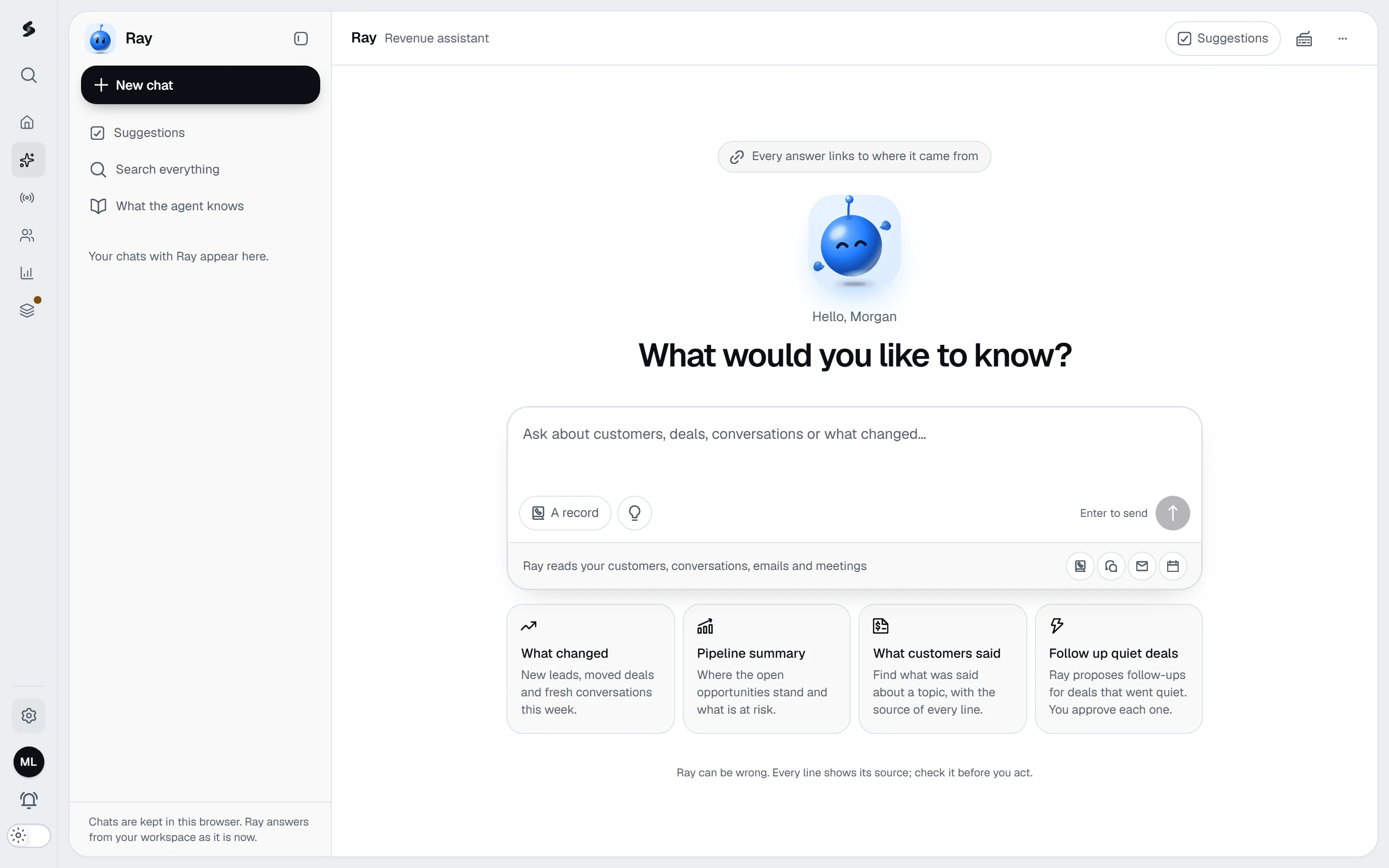
Ray is the assistant your team works with. It reads the workspace the way you would (records, notes, conversations, the pipeline) and answers in plain words, with links to what it used. It can also do the work: add a task, write a note, update a field, draft a report or an automation. Everything it changes is marked as Ray’s.
#Where to ask
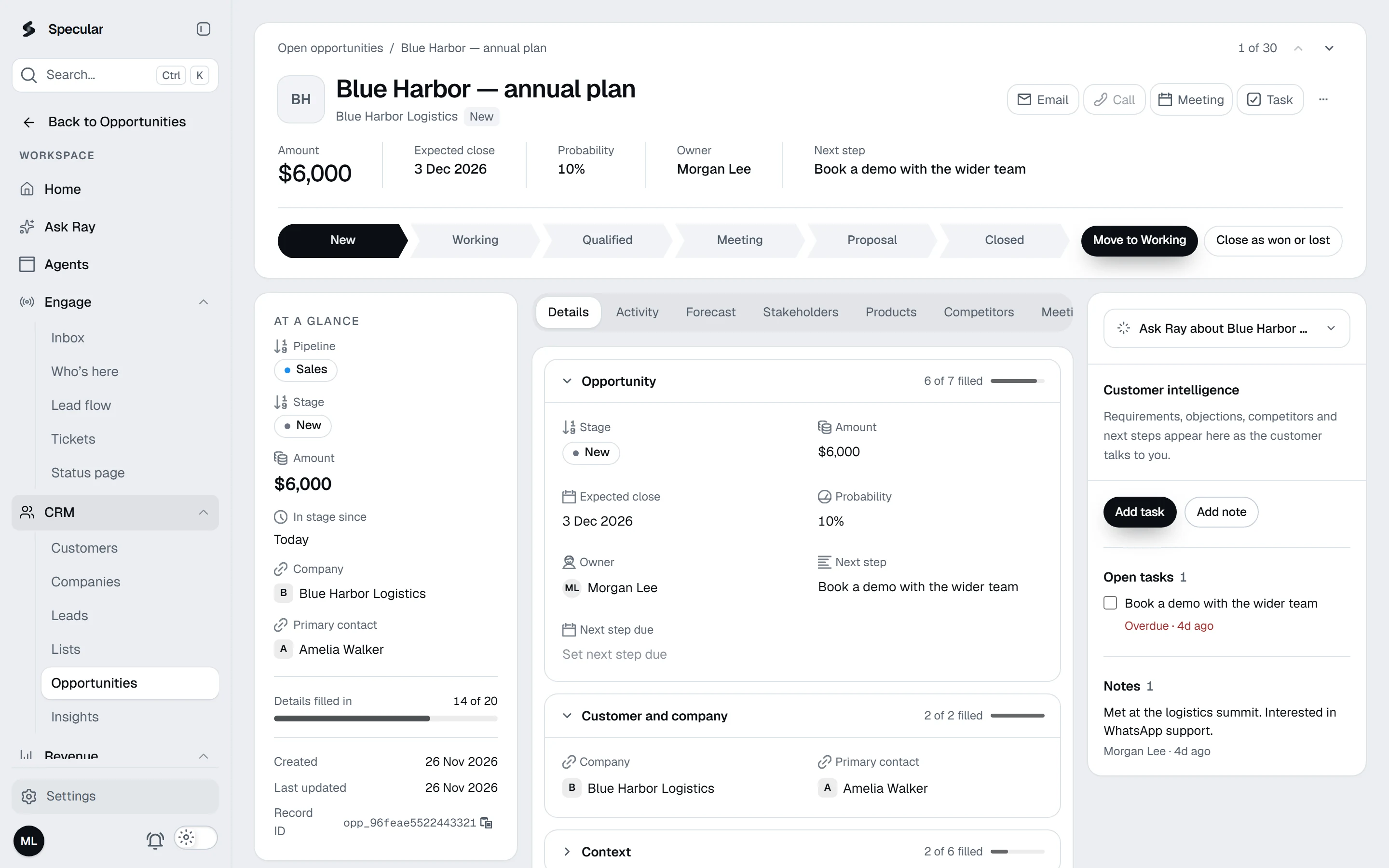
Open Ask Ray in the sidebar for questions about the whole workspace, or use Ask Ray about … in the right-hand column of any record for questions about that one customer, company or deal.
#Ask a question
- Click Ask Ray in the sidebar.
- Type a question the way you would ask a colleague, for example Which deals over $10,000 have gone quiet this month?
- Press Enter. Ray answers with the records it found, each one a link.
- Ask a follow-up in the same thread to narrow it down.
#Have Ray do something
On a record, open Ask Ray in the right-hand column and ask for the change:
- Open the record, for example Opportunities → Blue Harbor — expansion.
- Click Ask Ray about Blue Harbor — expansion.
- Ask, for example Create a follow-up task for Friday, then press Ask.
- Check What Ray did under the answer: each change is a link to where it landed.
#Changes that wait for you
Some changes matter too much to make on Ray’s say-so, such as moving a deal to Won. Those arrive as suggestions in Suggested updates on the record, and nothing changes until somebody accepts.
#Troubleshooting
- Ray says it cannot answer right now
- The workspace’s AI credit is used up or the AI provider is not set. See Billing and usage.
- Ray did not change the field you asked for
- The change needed approval and is waiting under Suggested updates, or you do not have write access to that record.
- Ray cannot find a record you know exists
- It searches what you can see. Ask an admin whether the record is shared with you.