
Quotes
Turn an opportunity's products into a quote, send it, and record the answer.
- Plans
- From Starter
- Who can
- Members with write access to customers
- Where
- Opportunities → an opportunity → Products · Quotes
- Last updated
A quote is built from an opportunity’s products. Send it, record the answer, and an accepted quote sets the opportunity’s amount, so the forecast follows.
#Add products to the opportunity
- Open the opportunity and its Products tab.
- Click Add product, search the catalogue and choose one. Set quantity and any discount.
#Create the quote
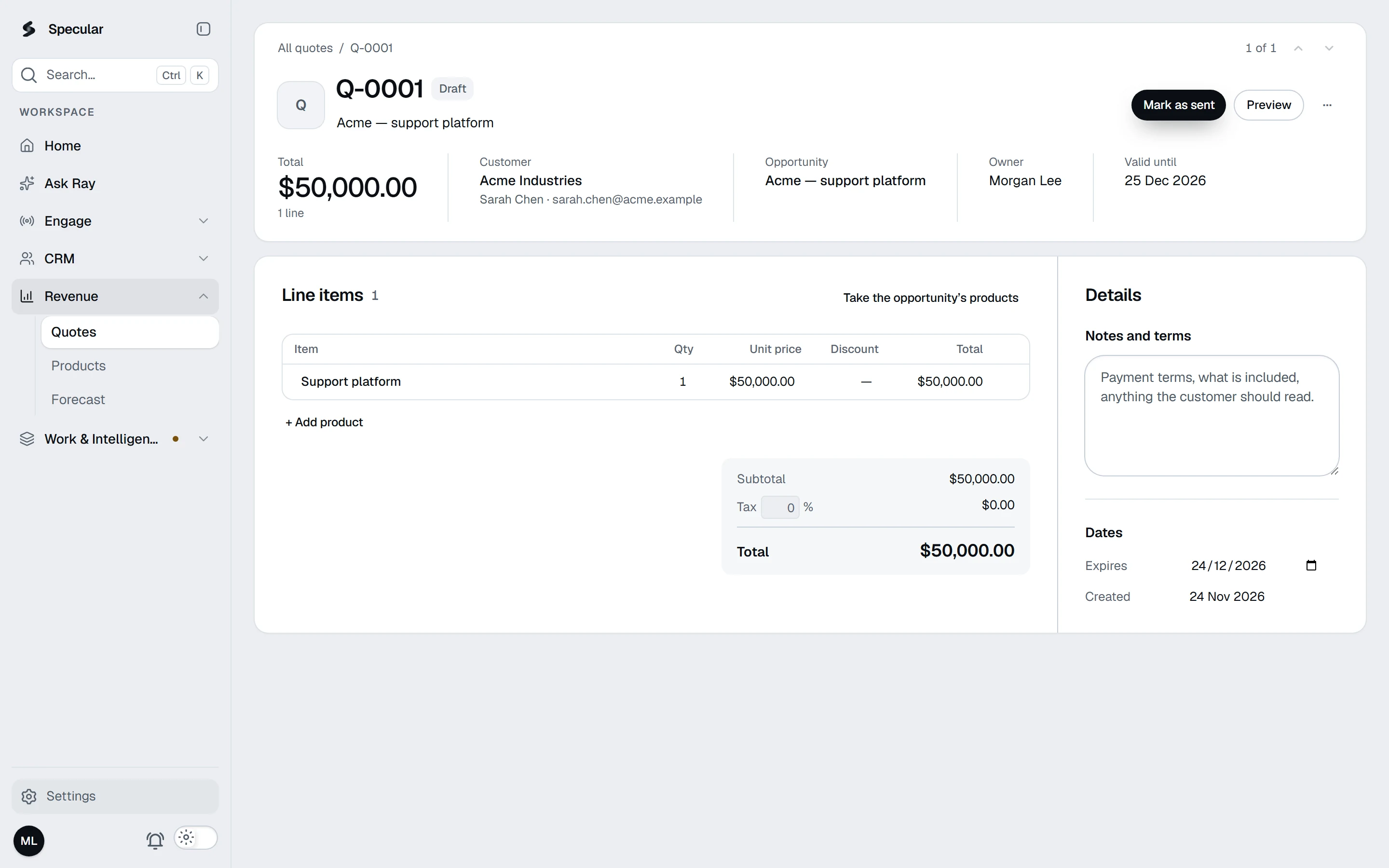
- Click Create quote. The quote opens with the opportunity’s lines.
- Add notes and terms, check the expiry date, and add or adjust lines.
#Send and decide
- Click Preview to see the document the customer gets.
- Click Mark as sent when it has gone.
- When they answer, click Mark accepted or Mark rejected. Accepting sets the opportunity to the quote’s total.
#Discounts that need approval
If your approval policy covers discounts, a quote with one waits for a yes before it can be sent. It says so at the top, with a link to the request.