
Incidents and maintenance
Report an incident, post updates as it moves to resolved, and schedule maintenance.
- Plans
- Every plan
- Who can
- Owners and admins
- Where
- Status page → Report an incident
- Last updated
An incident tells customers what is wrong and how it is going, from first report to resolved. Maintenance is the same, planned ahead.
#Report an incident
- On Status page, click Report an incident.
- Write the Title, choose the Impact and the Affected services.
- Write the First update: what customers notice and that you are on it.
- Click Post incident.
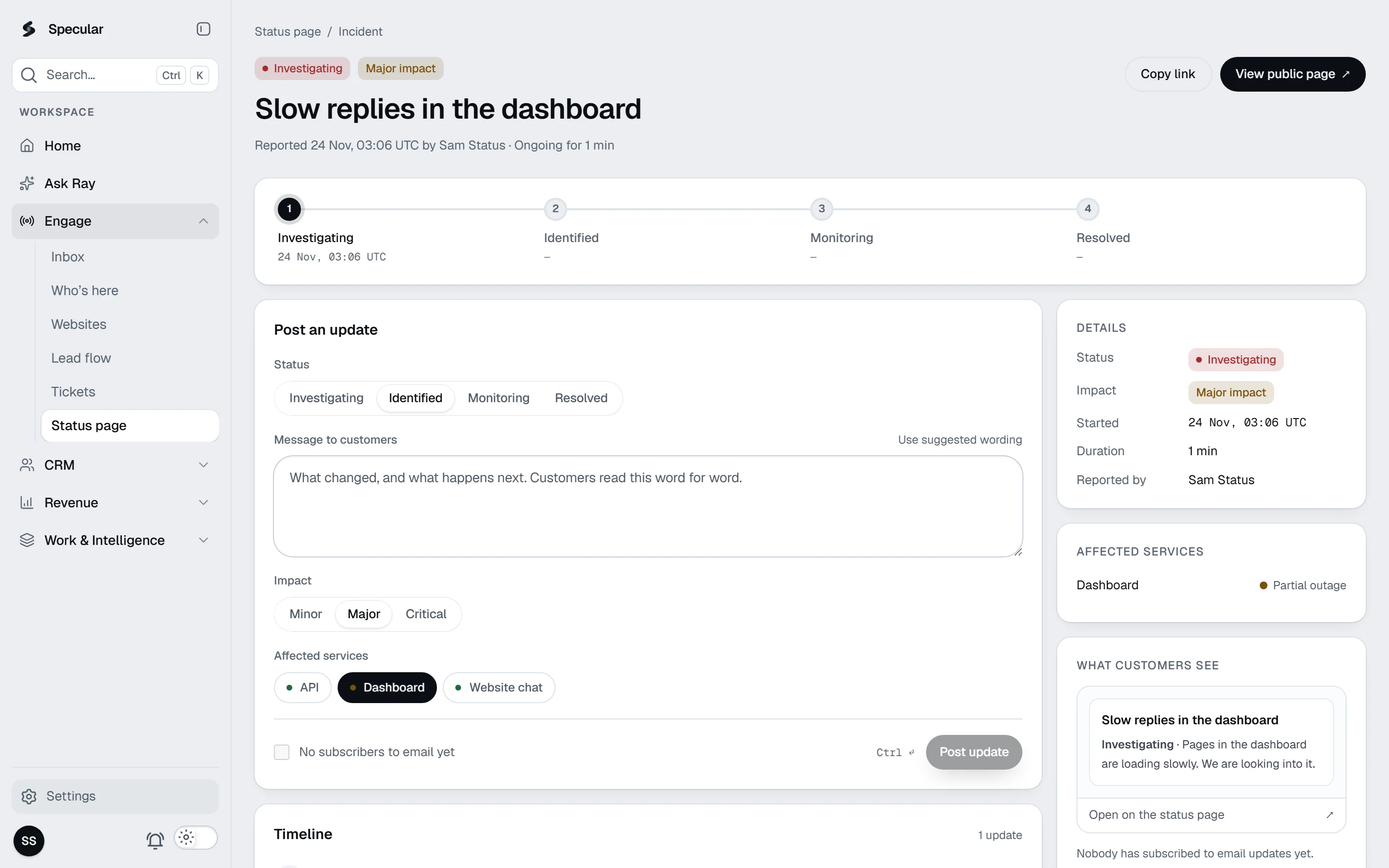
#Post updates
- Open the incident.
- Choose the New status: investigating, identified, monitoring or resolved. Start from a suggested wording if you like.
- Write the update and click Post update, or Resolve incident when it is over.
#Schedule maintenance
- Click Schedule maintenance.
- Give it a Title, the Starts and Ends times and the affected services.
- Click Schedule. Use Start maintenance and Complete maintenance as it happens.
#The notice in the widget
While an incident is open, the website widget shows a short notice linking to the status page, so customers know before they ask.