
Let Ray fill a field
Ray works out a field from the record: on one record, on many at once, or on a schedule.
- Plans
- Every plan; answers use your AI credit
- Who can
- Configure the CRM to set it up; write access to customers to fill
- Where
- Settings → CRM → Fields → a field → Rules…
- Last updated
A field can tell Ray what to fill in. Ray then works the value out from the record, its notes and its other fields, writes it as Ray’s with how sure it is, and leaves the field alone when the record does not say. It can do this on one record when asked, on many records at once, or on its own every day or week.
Before you start
- A field Ray can fill text, long text, number, money, percent, rating, yes/no, date, choices or tags
- AI credit each record filled is one of Ray's answers
#Tell Ray what to fill in
- Go to Settings → CRM → Fields and choose the kind of record.
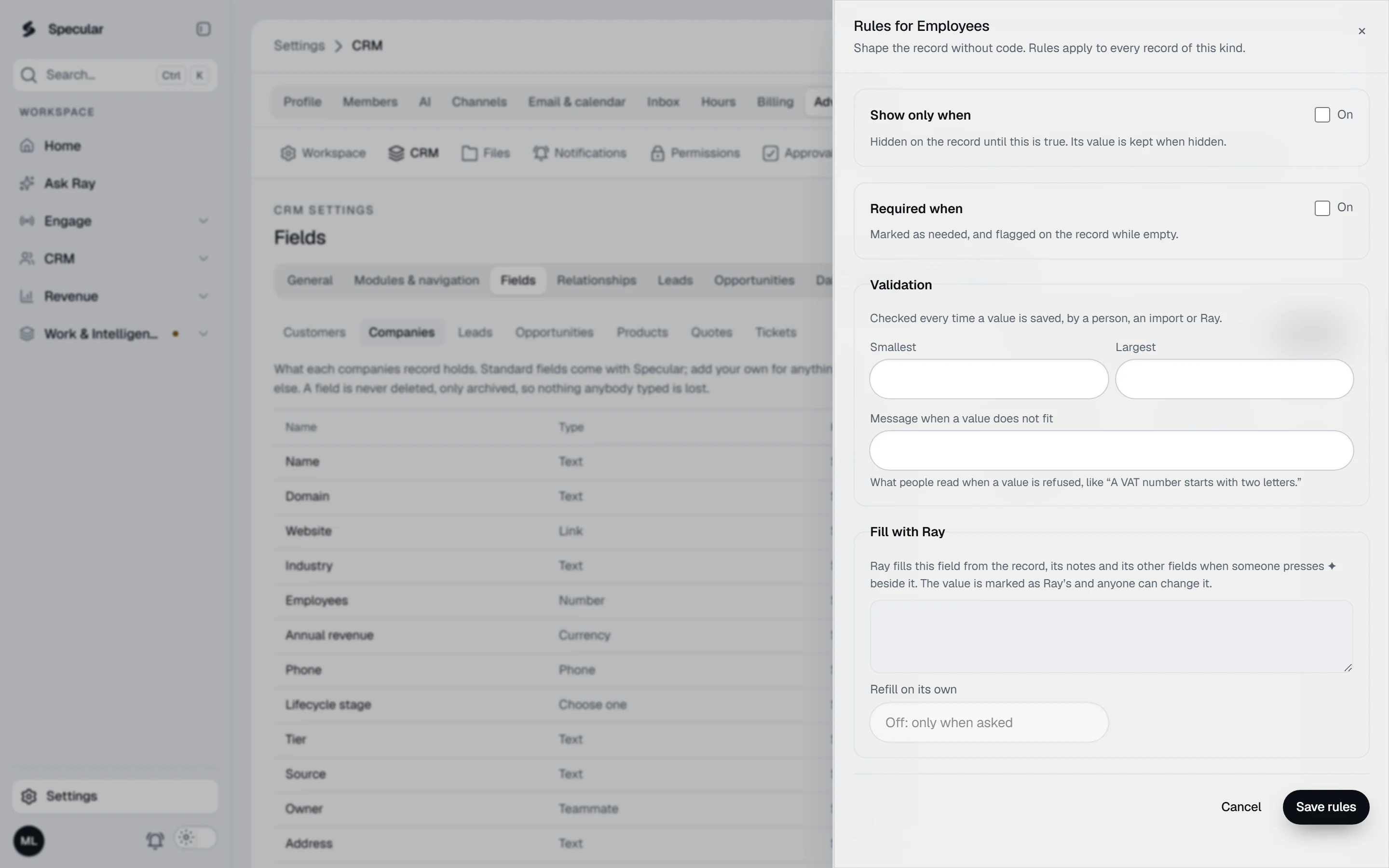
- Click ··· beside the field, then Rules….
- Under Fill with Ray, write what the field should hold, for example The main reason they are looking at us, in a few words.
- Click Save rules. The field now shows ✦ Ray fills in the list.
#Fill one record
- Open a record.
- Click ✦ beside the field.
- The value appears marked as Ray’s. Click Why? beside it to read what Ray based it on.
#Fill many records
- Open the list, for example Companies, and tick the records.
- In the bar at the bottom, click ✦ Ray fills….
- Read the cost line (one answer per record), then choose the field. Values arrive on the records as Ray finds them.
#Refill on a schedule
- Open the field’s Rules….
- Under Refill on its own, choose Every day or Every week.
- Leave Only records where it is empty ticked to fill gaps, or untick it to refresh every record.
- Click Save rules. Recent fills in the same drawer says how each run went.
#What it costs
Each record Ray fills is one of Ray’s answers from your internal AI credit. A scheduled run fills at most 200 records, and the workspace’s monthly AI budget still applies. See Billing and usage.
#Troubleshooting
- The field stays empty after Ray runs
- The record does not say enough for Ray to be sure. Add a note or the details Ray needs, then fill again.
- Ray fills… is not in the bar
- No field on this kind of record has an instruction for Ray yet, or you cannot edit these records.
- Recent fills says Could not run
- The AI credit or the monthly AI budget ran out. The next run starts once there is credit.