
Set up a status page
A public page for your services, with uptime checks and email subscribers.
- Plans
- Every plan
- Who can
- Owners and admins
- Where
- Status page in the sidebar
- Last updated
A status page tells customers whether your services are working: each service with a 90-day uptime bar, incidents in progress, planned maintenance and recent history. Customers can subscribe by email.
#Name it and set it live
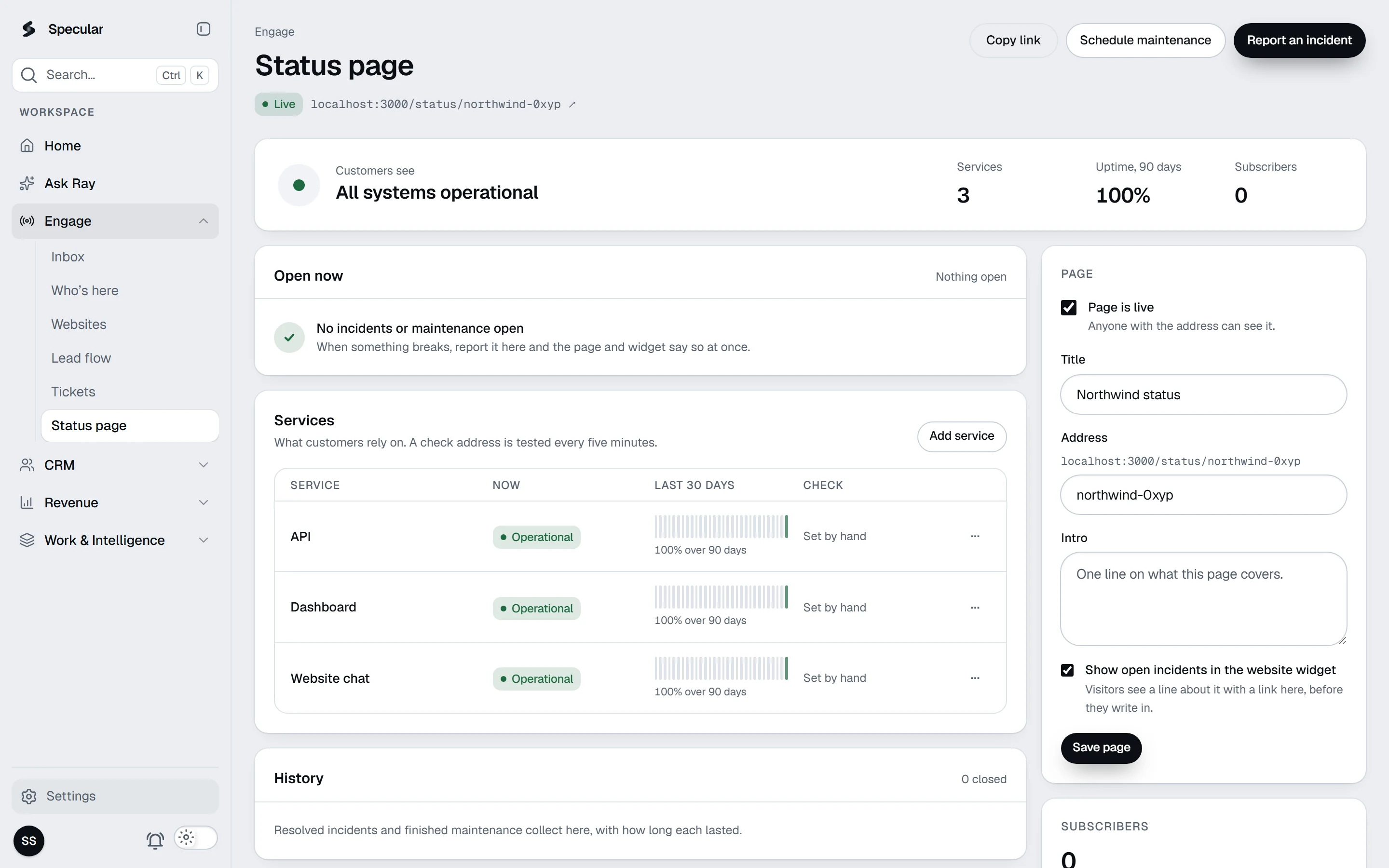
- Open Status page in the sidebar.
- Choose the Address (your page lives at
/status/your-address) and the page’s name. - Tick Page is live and click Save page.
#Add services and checks
- Under services, click Add service.
- Name it, for example API, and optionally give a Check address.
- Click Add service, add the others, then Done.
#The public page
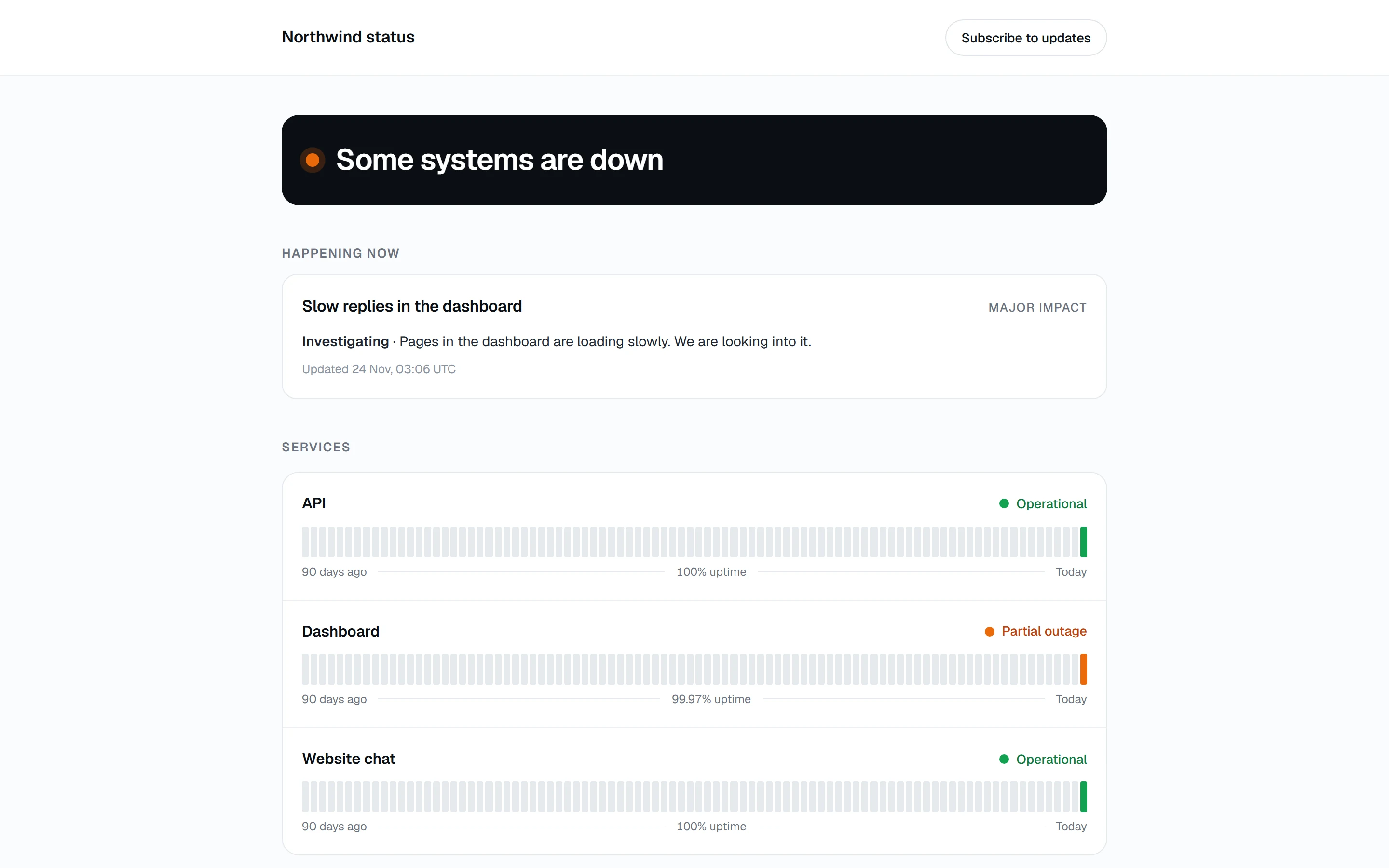
Overall status at the top, then each service with its uptime bar, active incidents, planned maintenance and 14 days of history.
#Subscribers
Visitors click Get updates and confirm by email. Every email has an Unsubscribe link. When you post an incident or an update, choose whether to email them.