
CRM apps
Turn on ready-made objects in one click: contracts, invoices, projects, field service, and industry packs from property to clinics, law, insurance and recruitment.
- Plans
- Every plan
- Who can
- Members who can configure the CRM
- Where
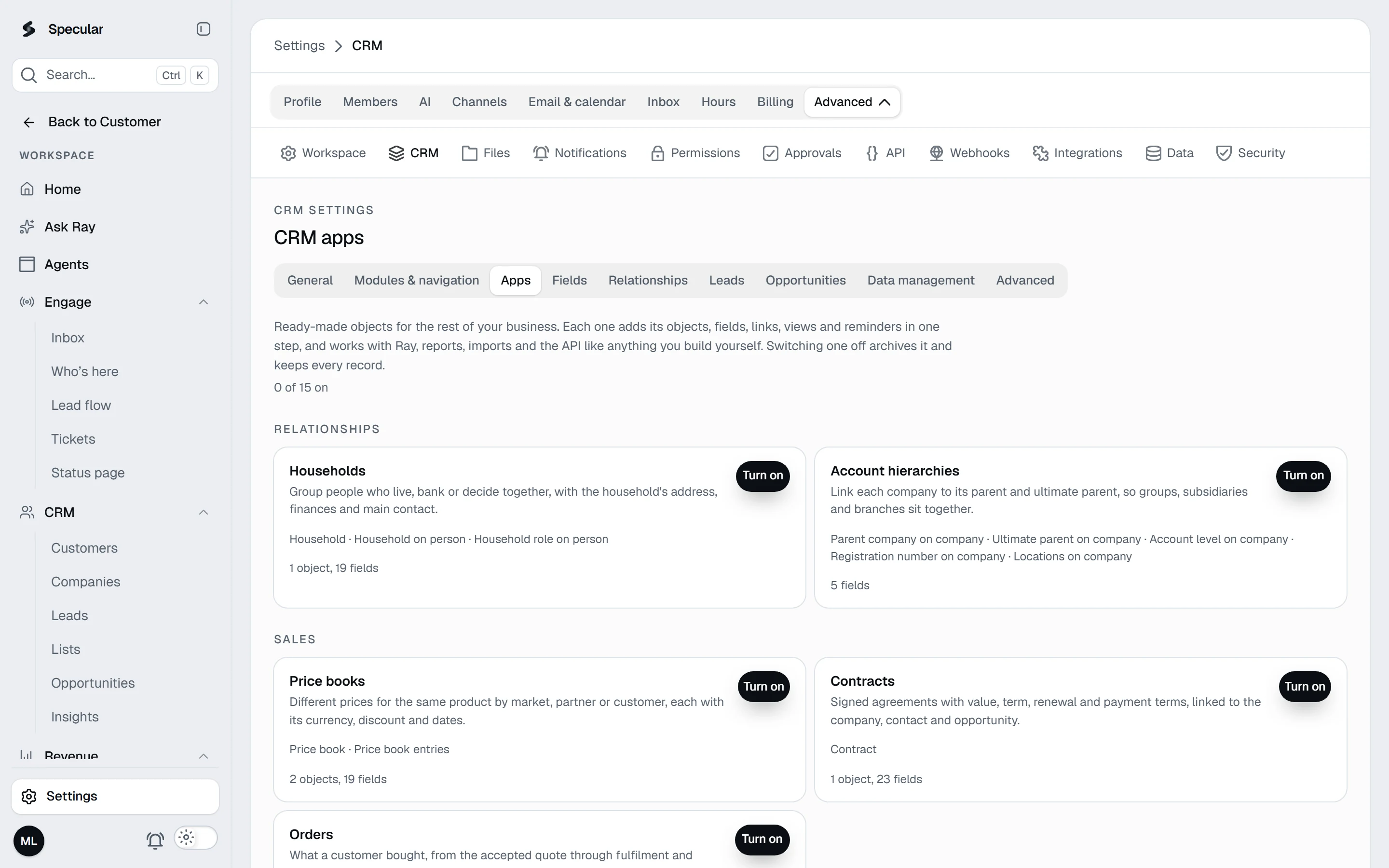
- Settings → CRM → Apps
- Last updated
Apps are ready-made objects for the rest of your business, each with its fields in sections, its links to customers and companies, views, formulas and date reminders. One click turns an app on; it then works like anything you build yourself, with Ray, reports, imports, automations and the API.
#The apps
- Relationships: households, and account hierarchies (parent and ultimate parent companies).
- Sales: price books, contracts, orders, competitors and discount codes.
- Revenue: subscriptions, invoices and payments, renewals and expansion, and billing accounts.
- Service: service contracts and entitlements, customer success, assets, problem management and customer feedback.
- Projects: projects and resource planning.
- Field service: work orders, appointments, technicians, territories, equipment, maintenance plans, inspections and service reports.
- Marketing: campaigns.
#Industry packs
Each pack adds the records one kind of business works with every day, with detailed fields, boards, calendars and reminders already set up:
- Property management: properties, tenancies and maintenance requests, with lease expiry, inspection and smoke alarm reminders.
- Real estate sales: listings, buyer viewings and offers.
- Health and dental practice: treatment plans, referrals and recalls, plus patient details on each customer.
- Legal matters: matters and court or filing dates.
- Accounting practice: engagements and lodgements with due dates.
- Insurance: policies and claims, with renewal reminders.
- Lending and wealth: loan applications and investment accounts.
- Motor dealer: vehicles, test drives and trade-ins.
- Gym and fitness studio: memberships, classes and class bookings.
- Salon and spa: treatment records, packages and patch tests.
- Courses and enrolments: courses, applications and enrolments.
- Restaurant bookings and functions: reservations and functions.
- Hotel stays: room types, stays and group bookings.
- Events and registrations: events and registrations.
- Recruitment: jobs, candidate applications and placements.
- Donations and volunteers: donations, volunteer shifts and grants.
- Freight and shipments: shipments and lane rates.
- Solar and home services: site surveys, installations and warranties.
- Software and SaaS: trials, workspace accounts and integration requests.
- Wholesale and trade: trade accounts and sample requests.
#Turn one on
Before you start
- The right to configure the CRM an app adds objects for everyone
- Go to Settings → CRM → Apps.
- Read what the app adds under its name, then click Turn on. Any app it needs (Invoices and payments needs Subscriptions, for example) comes on with it.
- Its objects appear in the sidebar with their lists, record pages and views.
Or ask Ray, for example “turn on contracts and subscriptions”. Ray shows what will be added and waits for you to confirm.
#Update and turn off
When an app gains fields after you turned it on, it shows N new fields available and an Update button that adds them and leaves your own changes alone. Turn off archives the app’s objects and keeps every record, so turning it back on brings them back. An app another app needs stays on until that one is off.