


Features
Specular features: AI agent, inbox, help centre and CRM
An AI agent that answers and hands over, an inbox and tickets for the team, a help centre and status page for customers, and a CRM you can shape without code.
One workspace
How the features fit together
The AI agent, support, CRM, revenue, automations and the platform share the same customers, so nothing is copied between tools.
Support
Inbox, tickets, self-service and the operations behind them.
- Who's hereVisitors on your site and your team's presence and shifts, live.
- Shared inboxEvery conversation in one place, with the AI agent and your team side by side.
- TicketsWork that takes longer than a chat, with clocks, owners and internal notes.
- Customer portalCustomers follow their requests on your help centre, signed in by email link.
- Help centreA public, searchable help centre in your brand, in every language you offer.
- Status pageTell customers what is working, with uptime checks, incidents and subscribers.
- Quality reviewsScore conversations against a scorecard, for teammates and the AI agent alike.
- Hours and shiftsOpen hours, holidays, team hours and shifts, so work goes to people who are there.
- Skills and language routingSend each conversation to someone who speaks the language and knows the subject.
- Website messengerThe widget on your site, designed against the real thing.
- Human handoffThe agent steps back; a person takes the same thread with a brief.
- Side conversationsEmail a supplier or finance from the ticket, out of the customer's sight.
- Help centre reportWhat readers searched for, read and found helpful.
AI
Ray works beside your team and fills in what the records already say.
- AI agentAnswers on your website from your own knowledge, and hands over with a brief.
- Ask RayThe AI assistant for your team: answers questions and completes tasks across Specular.
- AI fieldsRay fills a field from what the record already says: once, in bulk, or on a schedule.
- KnowledgeYour pages, documents and articles: what the agent answers from.
- Agent personalitiesTen characters on one shared brain: the manner is yours to choose.
- Behaviour and guardrailsWhat the agent may say, must not say, and when it hands over.
CRM
Records, views, fields and data you can shape without code.
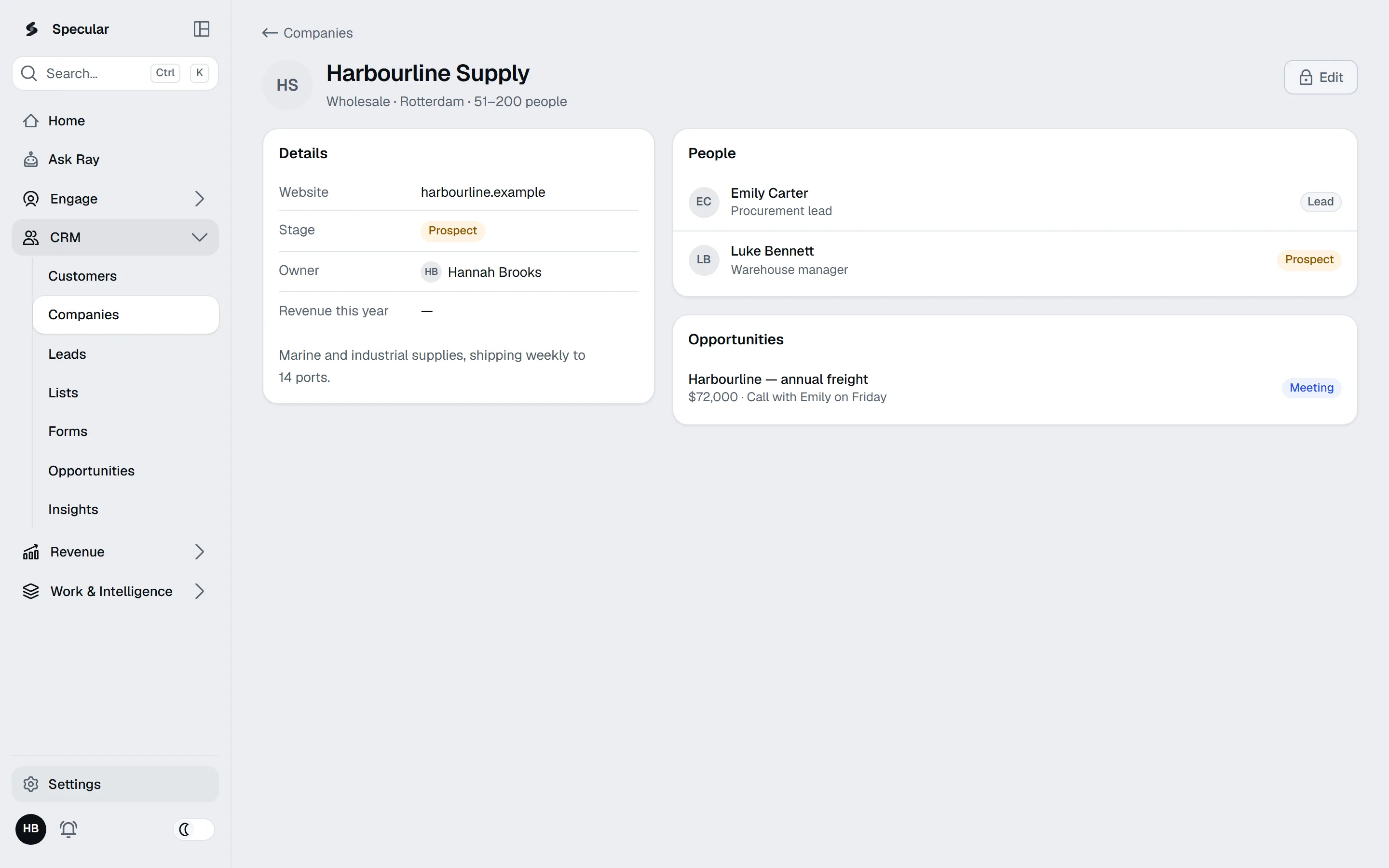
- Record pagesEvery record on the same clear page, arranged by your admins, stepped through with J and K.
- Lists and viewsTable, board, calendar, timeline and gallery, with filters saved as views.
- Fields and rulesAny field you need, with rules that show, require and check values.
- Custom objectsTrack what the standard records do not: investors, properties, projects.
- CRM appsContracts, subscriptions, invoices, assets, projects and field service, on in one click.
- Import and data qualityBring data in from a spreadsheet and keep it clean: duplicates, owners, missing details.
- Customers and leadsPeople, companies and leads, filled in by every conversation.
- CompaniesEvery account, with its people, deals and health.
- LeadsPeople who might buy, with a status, a score and an owner.
- ImportBring a spreadsheet in: match columns, check, then import.
- Field rulesShow a field when it applies, require it when it matters.
- Record layoutsArrange a record page on the record itself, per team or role.
- Calendar and gallery viewsRecords on a calendar by date, or as cards.
Revenue
Products, quotes and a forecast that follows the pipeline.
- PipelineOpportunities through your stages, on a board, with the path on every deal.
- ProductsA catalogue of what you sell, with prices, billing and where each is used.
- QuotesQuotes from a deal's products, sent, accepted, and reflected in the deal.
- ForecastWhat this period will close at, against target, and what changed it.
- Lead flowQualify, score, route and book, in one place.
- BookingsReal availability from your calendars, booked in the conversation.
- MeetingsA notetaker joins the call; the transcript, summary and actions follow.
Work
Automations that act for you, and the reports that show how it goes.
- AutomationsWorkflows started by a record change, a schedule, a button or another tool, that update records and reach people.
- InsightsDashboards and reports on conversations, the agent, the pipeline and quality.
- ReportsTables, summaries and matrices of any record, scheduled to anyone.
- DashboardsThe figures you watch, on one screen.
Platform
Integrations, the API, webhooks and the controls that keep data safe.
- IntegrationsSlack, Zapier and Make, and your calendars.
- Public APIRead and write your workspace from your own systems.
- WebhooksGet told when something happens, signed.
- MCP serverLet your own AI tools read and act on the workspace.
- Roles and permissionsWho can see and change what, down to the field.
- SecurityTwo-step sign-in, card numbers kept out, data you can export or erase.
Start free with Specular
Start free on your own AI key, or talk to Ray first and see how it feels.
 Ray
 Onyx
 Echo
 Scout
 Kip
 Prism
 Summit
 Halo
 Parley
 Nimbus